|
Jay Arthur
888-468-1537
303-756-9144
KnowWare
International, Inc.
DBA LifeStar
2253 S. Oneida
Ste 3D
Denver, CO 80224

We help people think!
Copyright © 2009
|
|
Excel
SPC (Statistical Process Control) Software!
The Lean Six Sigma Standard for Green Belts to "No Belts".
Do you feel like you:
- Need to be a statistician to use SPC?
- Spend too much time on documentation for your Lean Six Sigma Project?
- Spend too much time drawing charts for other people?
You've got better things to do.
That's why we created the QI Macros. The QI Macros SPC Software for
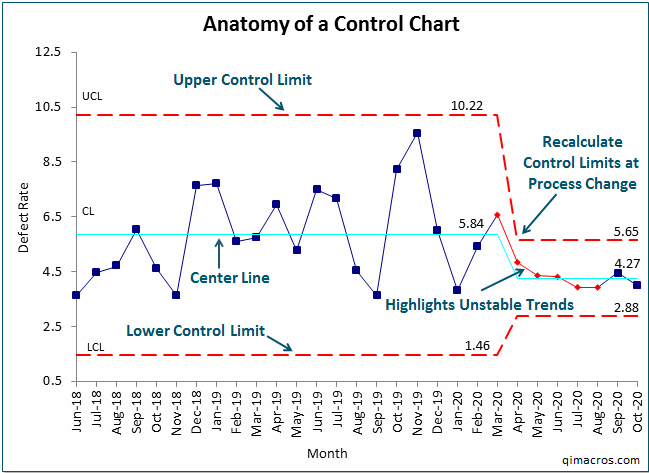
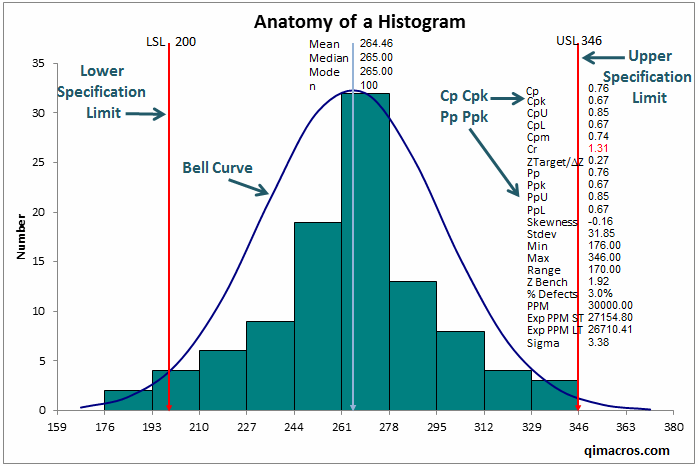
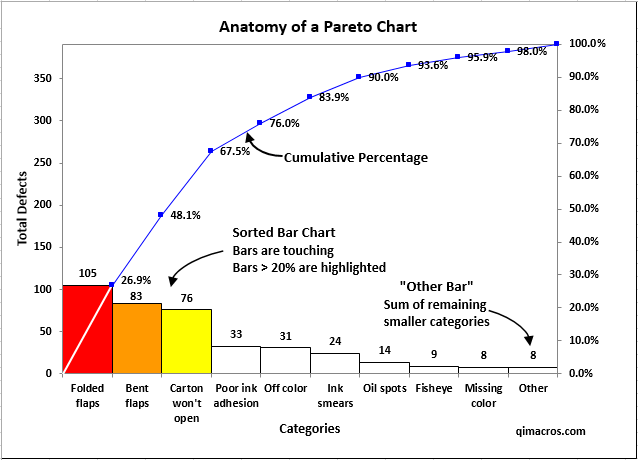
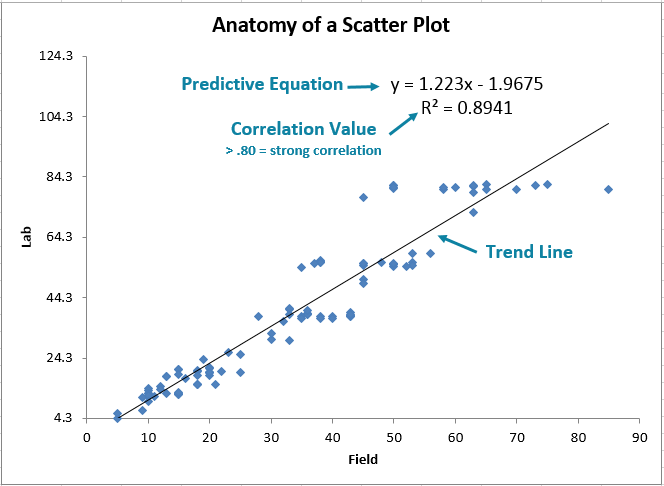
Excel draws pareto charts, control charts, histograms, box and whisker
plots, scatter plots and more. Also includes over 80 fill in the blank
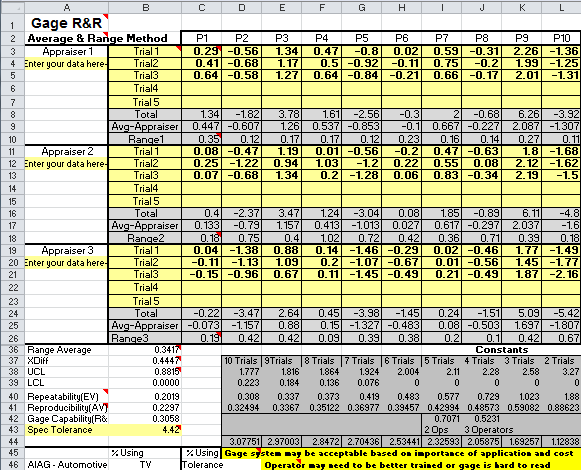
templates including QFD, GageR&R, DOE, PPAP and FMEA. Better yet we
do it right in Excel. Your just select your data and then select the chart
from the QI Macros menu.
The QI Macros Are Easy To Use
- Because the software was developed from the ground up to work in Excel
and deliver immediate results in business environments using Grab-It-And-Go
Simplicity:
- Mistake-proof selection of data. Your data can be in connected
or separated, rows or columns; the QI Macros will clean up nonnumeric
data, fix any misalignments and use your data as you selected it.
- Control Chart Wizard to select the right control chart for
you automatically.
- Control Chart Dashboards to simplify monthly reporting.
- PivotTable Wizard to simplify analyzing complex transaction
files.
- Mistake-proof statistical analysis (Excel can be picky and
even produce invalid results if the data isn't used correctly).
- Because the QI Macros do all the math and statistics for you. There's
no complex formulas to grasp or apply, just charts and results.
- Because of the fill-in-the-blanks, paint-by-numbers simplicity of
the 80+ chart and documentation templates.
- Because you don't have to waste time transposing or transferring your
data from Excel to a separate program. The QI Macros work inside Excel.
Only $139? What's the Catch?
The QI Macros are so affordable because we let Excel do all of the heavy
lifting. We just take your data and tell Excel what to do with it to get
the result you want. There is no separate application or database to manage.
There are no annual subscription or maintenance fees either.
Yeah but it is accurate?
QI Macros output is validated using the following methods:
- Validated by manual calculations
- Validated against textbook examples
- Validated against other SPC software
For more detailed information see our software
validation page.
Compare with Minitab: Click Here.
Who Else Uses It? How Long Have You Been Around?
The QI Macros were created in 1996. Based on customer input, we add new
functionality all of the time. We have over 90,000 customers.
- Over 3,000 hospitals use the QI Macros to reduce medical errors and
save lives.
- Thousands of manufacturing companies use the QI Macros to measure,
monitor and mistake proof production.
- Construction companies use them to monitor quality.
- Food companies use the QI Macros to monitor the quality and safety
of their products from canned goods to raw chicken.
- Aeronautics companies use the QI Macros.
- The military uses the QI Macros.
- Hotels use the QI Macros to improve customer experience.
Completely Compatible with Excel 2007?
You Bet!
Why are so many Six Sigma Black Belts adding the $139 QI Macros-Excel
SPC software to their tool kit?
|
The QI Macros has changed the conversation from fear of using complicated
tools to "what does the data tell us?"
- Director of Six Sigma
I lose half my class when I start trying to teach Minitab.
- Lean Six Sigma Black Belt Trainer
|
More Testimonials (Click here)
The QI Macros SPC Software for Excel has five parts:
| |
Click Links for Complete List of Tools and Info
|
Examples
|
View On-line Tutorials
|
| 1. |
30 Charts
you can draw instantly from Excel data including paretos, control
charts, histograms, box and whisker, scatter, and many more.
Do you find it hard to choose the right control chart?
The QI Macros
is the only SPC toolkit that has a Control
Chart Wizard that can choose the right chart automatically based
on your data..
|
|
Create Charts Video
- 3 minutes
Charts
Tutorial - 18 minutes
|
| 2. |
80+ Fill-in-the-blank Templates
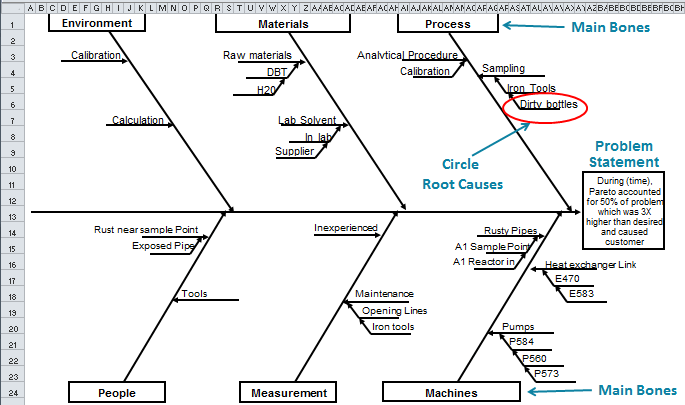
and Tools that provide paint-by-numbers simplicity and consistency
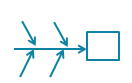
to Lean Six Sigma tools like fishbones, flowcharts, Gage R&R, PPAP
and SPC Charts.
Do you find monthly reporting a manual nightmare? There are over 30 chart
templates that make monthly reporting as simple as adding new data points.
|
 |
Templates Video
- 4 minutes
Templates
Tutorial - 16 minutes
|
| 3. |
Statistical Tools
like Anova, normality test, f-test, t-test, regression and more that make
hypothesis testing and statistical analysis a breeze. |
 |
Statistical Tools
Video - 2 minutes
Statistical
Tools Tutorial - 11 minutes
|
| 4. |
Data Transformation
Tools - To help stack, restack, aggregate and analyze your data.
The QI Macros is the only tool that includes a PivotTable Wizard
to instantly aggregate line-by-line transaction data like ERP, error logs
or financial data into actionable improvement stories.
The QI Macros is the only tool that has a Word Count Wizard that
analyzes service rep comments to find pareto patterns in the notes.
|
 |
Data
Transformation Video - 3 minutes
Data
Transformation Tutorial - 14 minutes
|
| 5. |
Do you struggle with the Control Phase of DMAIC?
Control Chart Dashboards
for Monthly Reporting and Monitoring of Key Indicators - just
drop your data into these XmR, c, np, p, or u chart templates and click
on the Create Dashboards icon.
|

|
Control
Chart Dashboard Tutorial - 6 minutes |
Download
the FREE 30-day Evaluation copy of the QI Macros Excel SPC Software for Six Sigma
|
|
Download
FREE
30-Day Trial

Or Buy It Now
for only $139!
Unconditional
90-Day
Money-Back
Guarantee
|